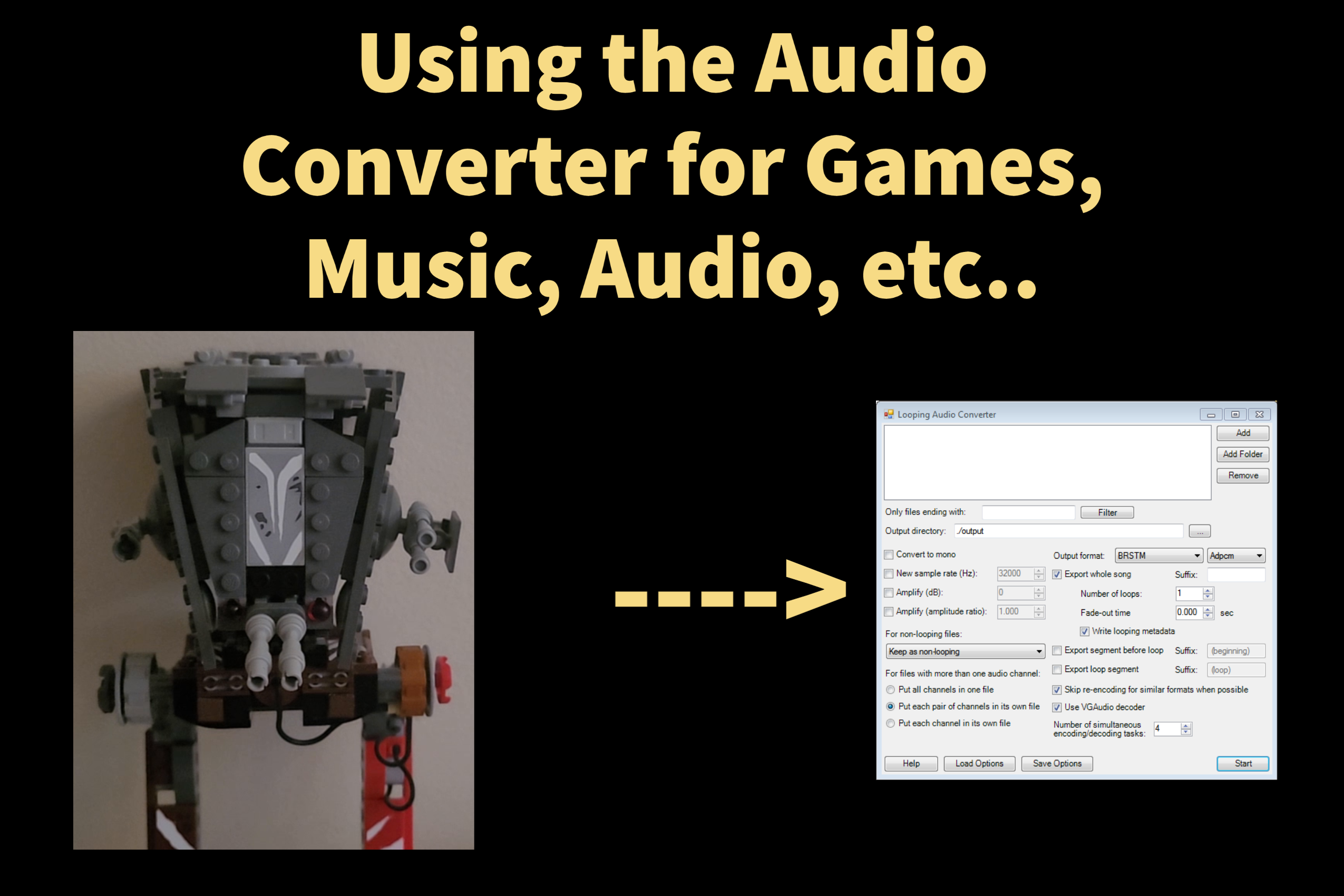
This was tested for the Looping Audio Converter (search looping audio converter)
Some tests or other converters might not work. Check your converter to see if it's eligible for conversion.
You'll need these tools:
This was tested for the Looping Audio Converter (search looping audio converter)
Some tests or other converters might not work. Check your converter to see if it's eligible for conversion.
You'll need these tools:
Step 1: Adding your BRSTM file
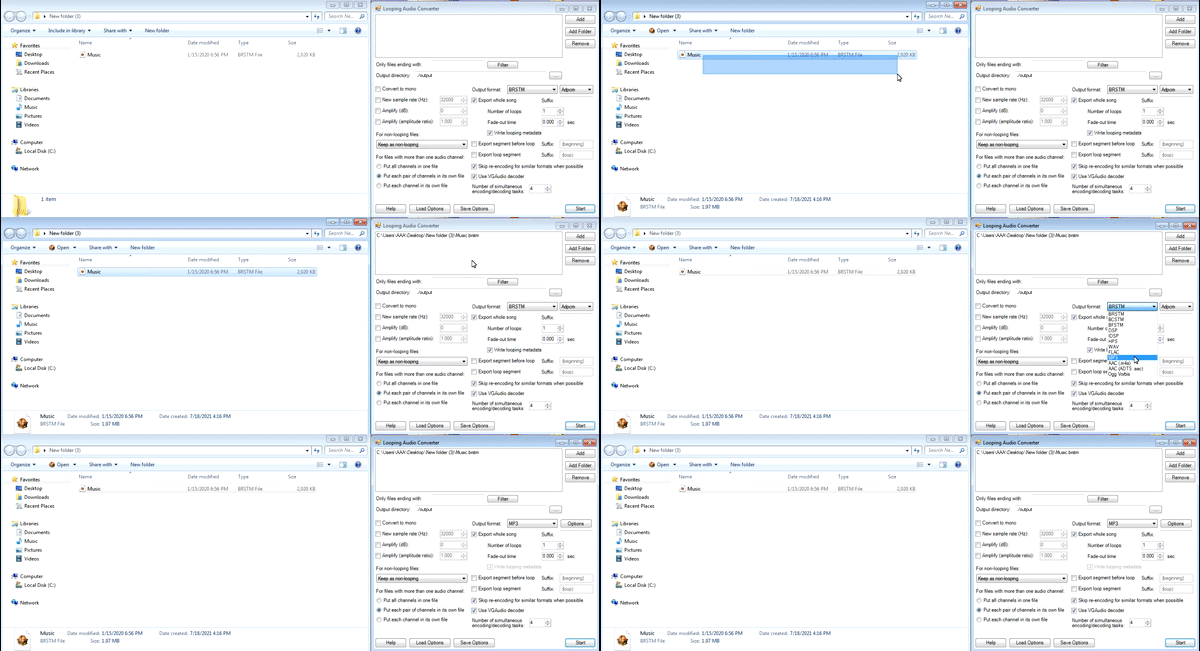
Drag and Drop your BRSTM file in the box above. Then toggle the Output Format to MP3.
Step 2: Converting your file.
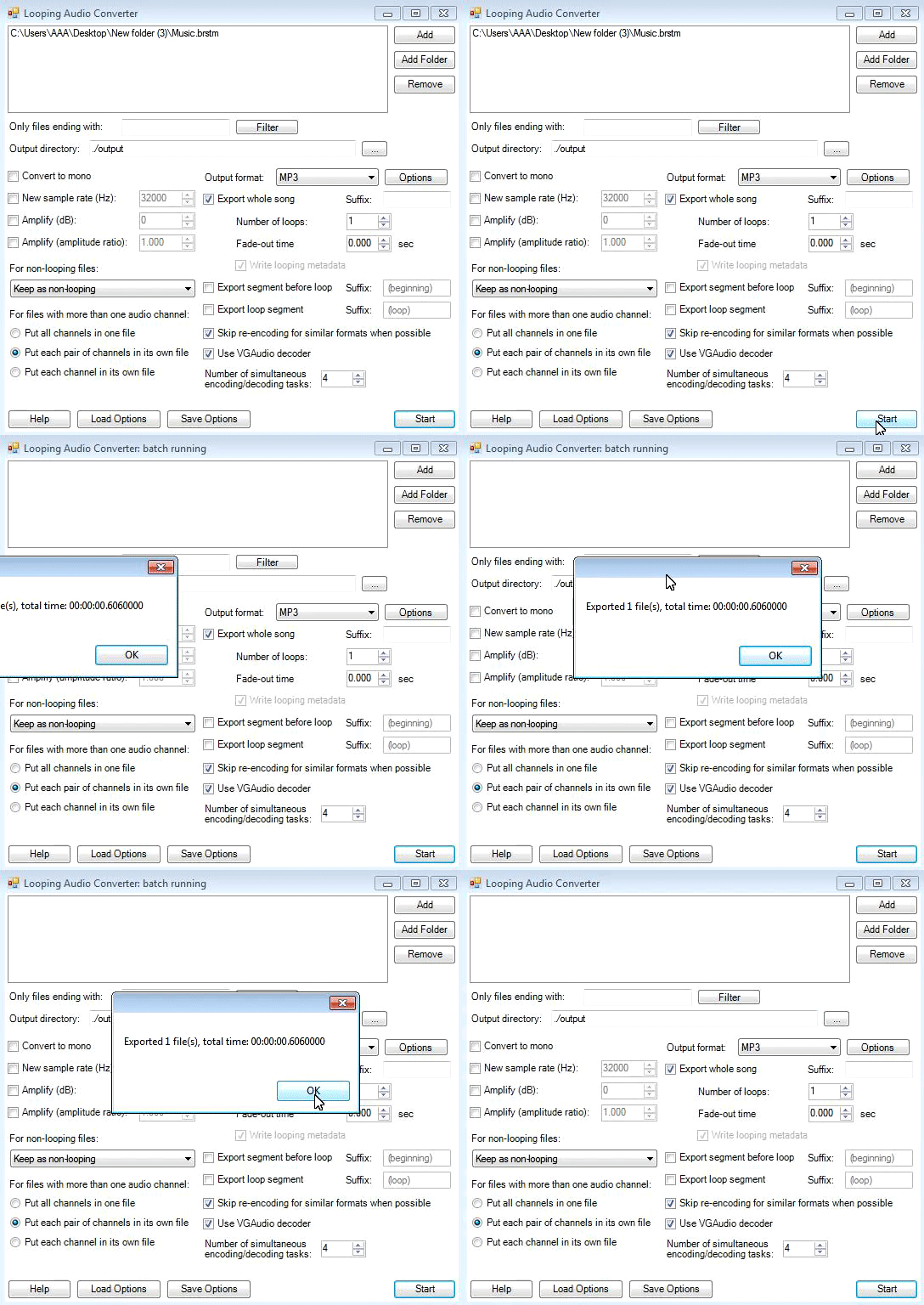
Click on Convert then a Dialog will let you know when it's done.
Step 3: Locating and testing your file.
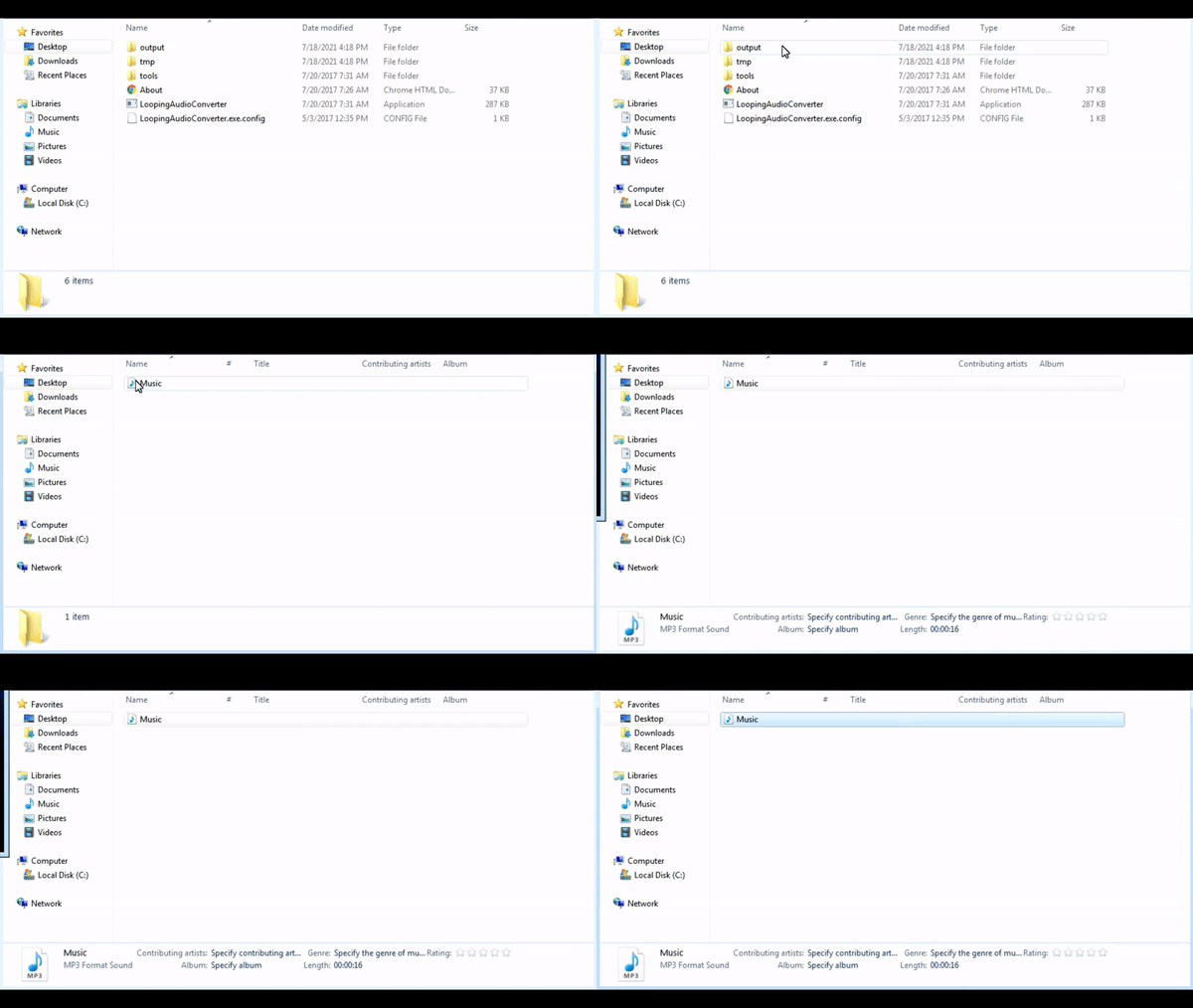
Find the Output folder then you'll find your converted audio. Open it up and give it a try.
Troubleshooting
Check your steps or check with your converter. You are free to contact me for help and I'll try to get back to you.
If your have problems with your audio converter, contact the developer for help.