Interactive:

Interactive:
Redirect a Domain you own to another Domain! This is great for websites who maintains more domains and wants to redirect them to one single website.
This tutorial is meant for educational purposes.
You'll need:
Object 1: Set up a 301 (for this tutorial)
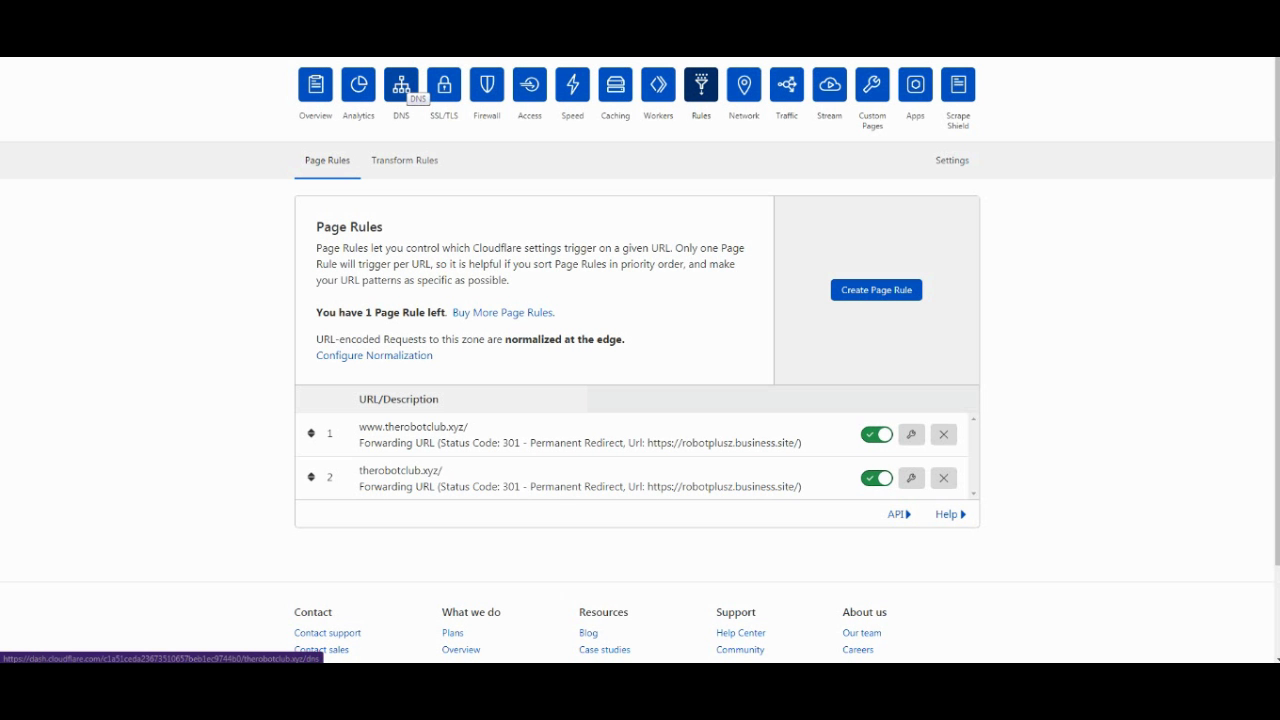
For this we will use Cloudflare, go to the Page Rules and create a Forwarding URL path.
Enter in a target domain, and toggle Forwarding URL. (For this, we can also use WWW for the redirect too.)
Set the Redirect code to 301.
Enter the target Domain and Deploy the Rule.
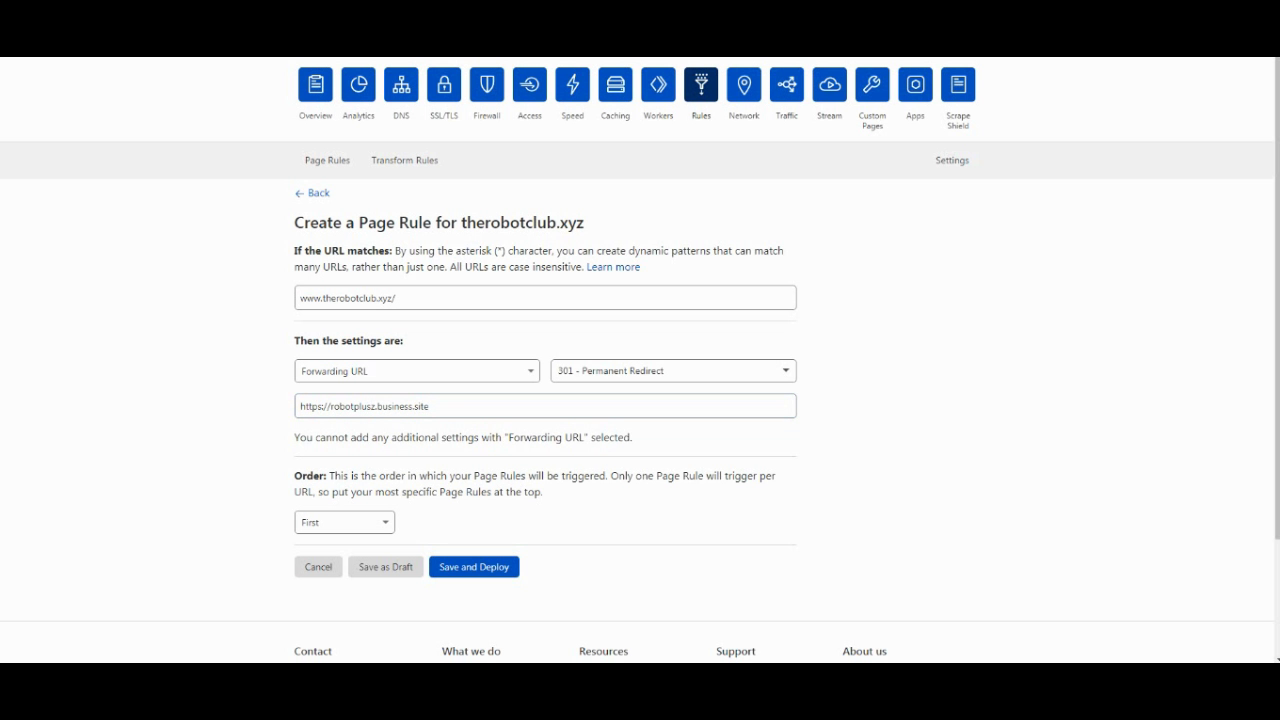
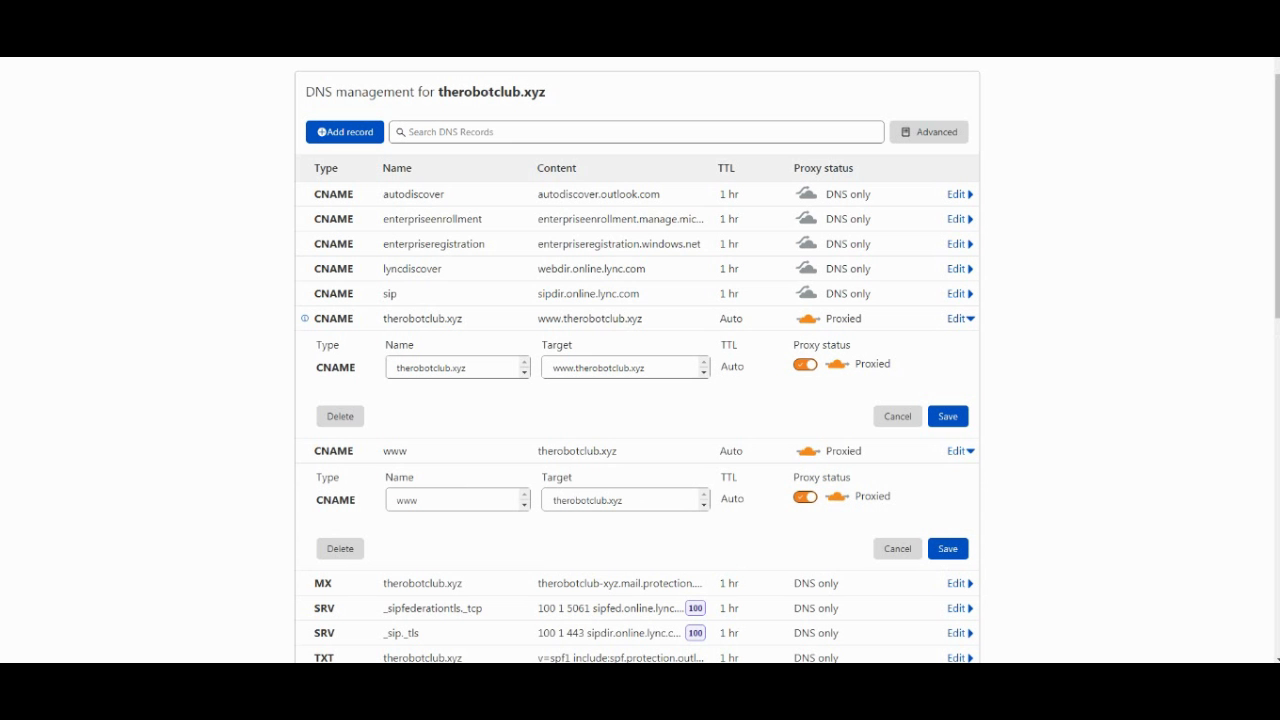
Object 2: Create a DNS proxied Record (required for Cloudflare)
Simply go to DNS and then create a CNAME record and point www to your address and @ to www.
Make sure the records are Proxied.
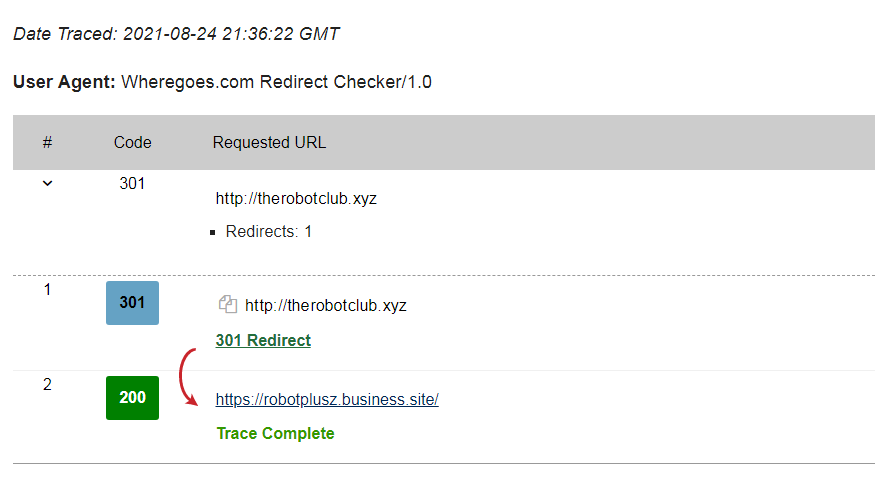
Object 3: Use a Redirect Tester.
Google Search for a Redirect Tester and test your URL. If it shows a 301 redirect, then the domain is redirecting OK.
Need help?
Troubleshoot to see if records are added correctly. It can take a few minutes or hours to process depending on the changes.
Contact me if you like to and I'll try to get back to you.
If your have problems with your host, contact their support for help.